When your favourite device breaks, the repair process can seem confusing. What’s wrong with it? How much will it really cost? We believe in total transparency, which is why we’ve designed a clear and straightforward FixGo repair process that puts you in control and ensures there are no surprises.

This guide will walk you through every step, from telling us about your device to getting it back, fully repaired and guaranteed.

Step 1: Select Your Device and Repair

Your journey begins on our website, where you tell us exactly what you need.

  1. Choose Your Device: Start by selecting your device from our list, whether it’s an iPhone, a Samsung Galaxy, a laptop, or a games console.
  2. Select the Repair: You can then choose the specific repair you need, such as ‘Screen Replacement’ or ‘Battery Replacement’.
  3. Not Sure What’s Wrong? No Problem. If you don’t know the specific issue, simply select our ‘Diagnosis’ service. This allows you to send your device to our experts who will find the fault for you.

Step 2: Choose Your Convenient Repair Method

Once you’ve made your selection, you can choose the repair method that best suits your needs.

  • Nationwide Mail-in Service: Available across the UK. Perfect for sending your device to us securely from anywhere.
  • Doorstep Repair (Manchester Area): For ultimate convenience, our technicians can come to you. Please note, a small booking fee applies for this premium service.
  • In-Store Repair (Rochdale): Book a time to visit us at our dedicated repair store for face-to-face service.

Step 3: The Expert Diagnosis and Final Quote

This is the most critical step, where our expertise ensures you only pay for what’s necessary. Once we have your device in hand (either by mail or in person), our process is:

  • Extensive Diagnosis: Our technicians perform a comprehensive diagnostic check to confirm the fault and identify any underlying issues.
  • A Firm, No-Obligation Quote: After the diagnosis, we provide you with a final, detailed price for the repair.
  • Your Approval is Key: We will **never** begin any work until you have seen and approved the final quote. You are in complete control.

Step 4: The Professional Repair and Return

Once you give us the green light, our experts get to work.

  • The Expert Repair: Using high-quality parts, our technicians perform the repair in a secure, professional environment. Your data and privacy are protected at all times, whether it’s a simple smartphone repair or a complex laptop issue.
  • Final Quality Check: After the repair, we test every function of the device to ensure it meets our high standards.
  • Secure Return and Warranty: We return your device to you securely. All our work is backed by a comprehensive warranty, giving you lasting peace of mind.

Why FixGo is the Smartest Choice for Your Repair

Fixing your device shouldn’t be a gamble. We have built our entire process around trust, flexibility, and expertise. We understand that our customers have different needs, which is why we offer a range of service options. Our **Doorstep Repair service is for the Manchester area**, our walk-in **Store is located in Rochdale**, and our **Mail-in Service is available Nationwide across the UK**. Whichever you choose, you can be certain your device is handled by skilled technicians dedicated to quality and transparent pricing.

Our expert technicians are ready to help, with flexible options to suit you. Use our Nationwide Mail-in service from anywhere in the UK, or book a Doorstep Repair if you’re in the Manchester area. You can also visit us at our repair store in Rochdale.

Get Your Free, No-Obligation Quote


Your MacBook is completely unresponsive. No light, no sound, no signs of life. You’ve tried different chargers and every USB-C port, but nothing works. It’s a terrifying situation that makes you think your laptop—and all your data—is gone for good. But before you panic, you should know about a very common but highly specific problem: the failure of the USB-C controller chips, often called the CD3215 or CD3217.

This guide explains what this tiny chip is, why it’s so critical, and how a specialised repair can bring your “dead” MacBook back to life without the astronomical cost of a full logic board replacement.

First, The Simple Checks

Before assuming a complex hardware fault, always rule out the basics:

  • Test Your Charger: Make sure your power adapter and USB-C cable are working by testing them on another device.
  • Try a Different Outlet: Confirm the power outlet you’re using is live.
  • Check All USB-C Ports: On MacBooks with multiple ports, a failure can sometimes be isolated to one side. Try every port for at least a minute.

What is the CD3215 / CD3217 Chip?

Think of the CD3215 (or the newer CD3217) chip as the “gatekeeper” for your MacBook’s power. It’s a tiny micro-controller on the logic board responsible for managing the power coming through the USB-C ports. Its job is to talk to the charger, decide on the correct voltage, and allow power to flow to the battery and the rest of the system. If these chips fail, your MacBook has no way of recognizing that a charger is connected, and therefore, it will not charge or turn on.

How Do These Crucial Chips Fail?

These controllers are sensitive and can fail for several reasons:

  • Power Surges: Using low-quality, third-party chargers or cables can send unstable voltage to the chip, causing it to burn out.
  • Liquid Damage: Even a tiny amount of liquid making its way into a USB-C port can short-circuit the controller chip without causing widespread visible damage.
  • Simple Component Failure: Like any electronic component, these chips can simply fail over time due to heat cycles and regular use.

The Official Diagnosis vs. The Real Solution

If you take a MacBook with this issue to an official Apple Store, they will almost certainly quote you for a full logic board replacement, a repair that can cost hundreds, sometimes over a thousand, pounds. This is because their repair model is based on replacing entire modules, not fixing individual components.

However, the real solution is far more precise and affordable. A skilled technician can perform a component-level repair. This involves using a microscope and specialised microsoldering tools to de-solder the single faulty CD3215 chip from the logic board and replace it with a new one. This highly technical process saves the original logic board, protects your data, and costs a fraction of a full replacement.

Why FixGo is the Smartest Choice for Your Repair

This is exactly the kind of advanced repair we specialise in at FixGo. We believe in providing intelligent, cost-effective solutions instead of expensive, unnecessary replacements. Our technicians are experts in component-level logic board repairs and are equipped with the high-end microsoldering equipment needed to safely replace faulty CD3215/CD3217 chips.

  • Advanced Skillset: We perform the complex repairs that others can’t, saving you hundreds of pounds.
  • Data Protection: Our method repairs your existing logic board, which is the safest way to preserve your data.
  • Transparent Diagnosis: We will confirm the fault before proceeding, so you know exactly what is being fixed.

When you need a professional MacBook logic board repair, you can trust our experts to handle the job with the precision and care it demands.

Our expert technicians are ready to help, with flexible options to suit you. Use our Nationwide Mail-in service from anywhere in the UK, or book a Doorstep Repair if you’re in the Manchester area. You can also visit us at our repair store in Rochdale.

Book Your MacBook Repair Now


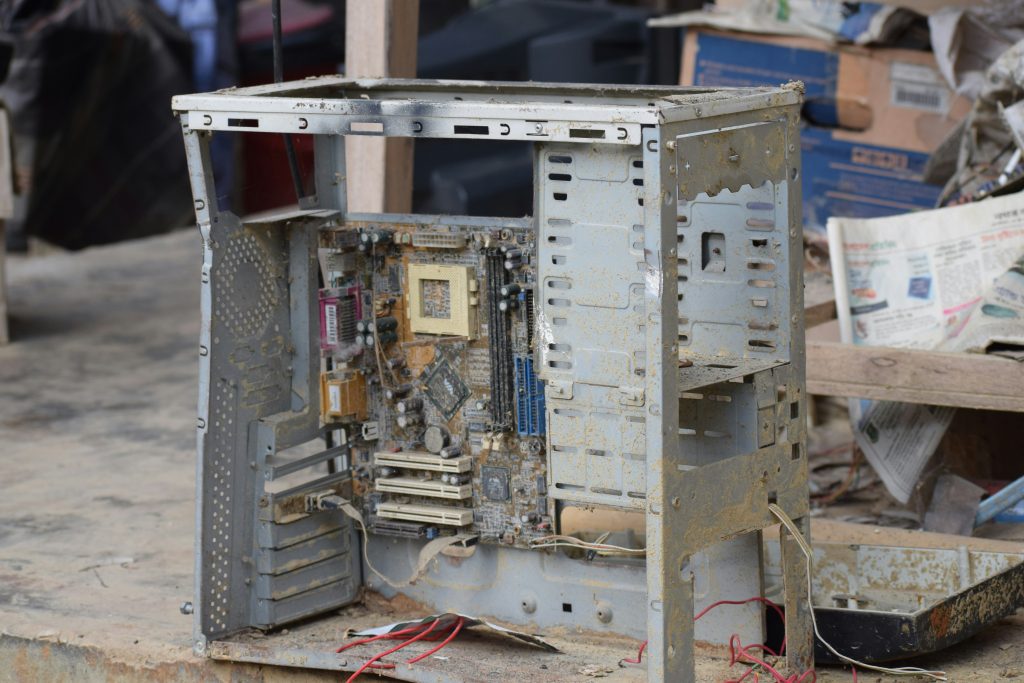
Your desktop PC, once a powerhouse for gaming or work, is now running slow, the fans are roaring like a jet engine, and it might even be crashing during intensive tasks. These are the classic signs of an overheating PC, a problem that, if left unchecked, can cause permanent damage to your expensive components like the processor (CPU) and graphics card (GPU).

This guide explains the most common culprits behind a hot PC—dust, bad airflow, and old thermal paste—and what you can do to cool it down and restore its performance.

The Number One Enemy: A Thick Blanket of Dust

Your PC’s fans are constantly pulling air through the case to cool its components. Unfortunately, this also pulls in dust, pet hair, and other debris from the room. Over time, this builds up inside your machine.

  • Clogged Heatsinks and Fans: Dust forms a thick, insulating blanket on the metal fins of your CPU and GPU coolers, trapping heat directly on the chip. It also clogs fan blades and air intakes, reducing their ability to move cool air.
  • More Noise, Less Cooling: As components get hotter, your system tells the fans to spin faster to compensate. This is why an overheating PC often gets very loud, yet performance still suffers because the trapped dust prevents the heat from escaping.

Beyond Dust: Poor Airflow and Placement

Even a clean PC can overheat if it can’t breathe properly. Airflow is a critical concept where cool air is drawn in from the front or bottom of the case and hot air is expelled out the back and top.

  • A Suffocating Location: Placing your desktop tower inside a tight-fitting cabinet, shoved into a corner, or with its back right up against a wall severely restricts this airflow. The PC ends up recycling its own hot air, causing temperatures to rise quickly.
  • Internal Cable Mess: A messy tangle of internal cables can act like a wall inside your PC case, blocking the path of cool air from the intake fans to your critical components.

The Hidden Culprit: Old, Dried-Out Thermal Paste

Between your computer’s processor and its heatsink is a crucial layer of thermal paste. This special compound fills microscopic gaps between the two surfaces to ensure efficient heat transfer.

  • It Doesn’t Last Forever: After several years, this paste can dry out, crack, and become ineffective. When this happens, heat can’t escape from the processor into the heatsink properly, causing CPU temperatures to skyrocket even if the rest of the PC is perfectly clean.
  • A Common Issue in Older PCs: If your PC is more than 3-4 years old and has never been serviced, old thermal paste is a very likely cause of sudden overheating problems.

Why FixGo is the Smartest Choice for Your Repair

At FixGo, we understand that a healthy PC is a cool PC. Our technicians are experts at diagnosing and resolving all overheating issues, from the simple to the complex. We go beyond a quick puff of air and provide a comprehensive service to restore your machine’s health.

  • Deep Professional Cleaning: We safely disassemble key components to provide a thorough, deep clean of all fans, heatsinks, and dust filters without risking static damage.
  • Expert Thermal Paste Re-application: We properly remove all old, crusty thermal paste and apply a fresh, high-quality compound to your CPU and GPU for optimal heat transfer.
  • Cable Management and Airflow Optimisation: We can assess and improve your PC’s internal layout to ensure cool air is reaching the parts that need it most.

When you need a professional desktop PC repair service, you can trust our experts to get it running cool, quiet, and fast again.

Our expert technicians are ready to help, with flexible options to suit you. Use our Nationwide Mail-in service from anywhere in the UK, or book a Doorstep Repair if you’re in the Manchester area. You can also visit us at our repair store in Rochdale.

Book Your PC Health Check Now


Your older MacBook has been a reliable workhorse, but now the screen is acting up. Maybe it has strange patches, a “stage light” effect at the bottom, or it’s just flickering wildly. These aren’t random glitches; they are often symptoms of well-known hardware failures that plagued certain MacBook models. Understanding issues like Flexgate, Staingate, and GMUX failure is the first step to finding the right repair.

This guide breaks down these three notorious MacBook faults, explaining what causes them, which models are affected, and how a specialised repair can save your machine from the scrap heap.

Flexgate: The “Stage Light” Failure

This is one of the most infamous MacBook design flaws. Over time, the simple act of opening and closing the lid causes a thin, fragile display cable to wear out and crack.

  • The Symptoms: It typically starts with an uneven backlight at the bottom of the screen, creating a “stage light” effect. As the damage worsens, the backlight may fail completely when the lid is opened more than halfway.
  • Affected Models: Primarily MacBook Pro models from 2016 to 2018.
  • The Underlying Problem: The display cable was designed to be too short, putting it under constant strain. This is a physical design fault, not a random component failure.

Staingate: The Anti-Reflective Coating Failure

If your screen looks like it has permanent, patchy stains or smudges that you can’t clean off, you are likely a victim of “Staingate.”

  • The Symptoms: Large, irregular patches appear across the screen where the top anti-reflective layer has worn away or delaminated. This is often caused by pressure from the keyboard touching the screen when closed, or from using incorrect cleaning solutions.
  • Affected Models: Widespread across Retina MacBook and MacBook Pro models, roughly from 2012 to 2017.
  • The Underlying Problem: The anti-reflective coating used by Apple during this period was not durable enough to withstand normal use and environmental factors.

GMUX Chip Failure: The Graphics Glitch

This issue looks like a screen problem, but it’s actually a fault on the logic board. It affects older MacBook Pro models that were built with two graphics chips (a low-power one and a high-performance one).

  • The Symptoms: Random screen flickering, coloured lines, distorted graphics, unexpected restarts, or the screen going completely black while the computer remains on.
  • Affected Models: Most commonly the 2011 and 2012 MacBook Pro models with dual GPUs.
  • The Underlying Problem: The GMUX (Graphics Multiplexer) chip, which switches between the two graphics processors, fails. The system doesn’t know which GPU to use, causing graphical chaos.

Why FixGo is the Smartest Choice for Your Repair

At FixGo, we are deeply familiar with these specific, widespread MacBook hardware faults. Where an official Apple service might only offer a full, prohibitively expensive screen or logic board replacement, we provide more intelligent, targeted, and affordable solutions.

  • Component-Level Expertise: For issues like GMUX failure, our technicians can perform microsoldering repairs to replace the single faulty chip on the logic board, saving you hundreds of pounds.
  • Specialised Knowledge: We understand the nuances of issues like Flexgate and Staingate and can advise on the most effective repair or replacement options.
  • Transparent Diagnosis: We will accurately diagnose the root cause of your screen issue, ensuring you’re not paying for a screen replacement when the real problem is on the logic board.

When you need a professional MacBook screen repair or logic board fix, you can trust our experts to provide a solution rooted in deep technical knowledge.

Our expert technicians are ready to help, with flexible options to suit you. Use our Nationwide Mail-in service from anywhere in the UK, or book a Doorstep Repair if you’re in the Manchester area. You can also visit us at our repair store in Rochdale.

Book Your MacBook Repair Now


You notice your MacBook doesn’t sit flat on your desk anymore, or perhaps the trackpad has become difficult to click. These aren’t minor cosmetic flaws; they are classic warning signs of a swollen MacBook battery. This is one of the most serious hardware issues you can face, not just because it damages your computer, but because it poses a significant safety risk.

This guide explains why batteries swell, how to spot the symptoms, and why a safe, professional replacement is the only responsible course of action.

What Causes a Battery to Swell?

The lithium-ion battery in your MacBook generates power through a chemical reaction. As the battery ages or gets damaged, this chemical reaction can break down and produce a flammable gas. The battery’s casing is designed to contain this gas, which causes it to swell up like a pillow. This is a built-in failure mechanism to prevent a more dangerous outcome, but the pressure and volatile contents create a hazardous situation.

The Dangers: Why You Must Act Immediately

A swollen battery is a fire risk. The internal components are under extreme pressure. If the battery casing is punctured or stressed further, it can lead to a violent chemical reaction called “thermal runaway,” resulting in fire and the release of toxic fumes. Continuing to use or charge a device with a swollen battery dramatically increases this risk.

Signs of a Swollen MacBook Battery

The symptoms are often physical, as the expanding battery pushes other components out of place. Look out for:

  • Case Bulging: The bottom case of your MacBook may appear warped or no longer sits flat.
  • Trackpad Issues: The battery is located directly under the trackpad. As it swells, it pushes upwards, making the trackpad feel stiff, difficult to press, or completely unclickable.
  • Screen Not Closing Properly: The swelling can warp the top case, preventing the screen from closing flush against the body.
  • A Visible Seam Split: In advanced cases, the battery may swell enough to physically split the aluminium seams of the MacBook case.
  • Poor Battery Life: While not always a sign of swelling, a battery that no longer holds a charge is at the end of its life and is at higher risk of developing problems.

Why DIY Replacement is Extremely Dangerous

While DIY videos exist for many repairs, attempting to remove a swollen battery yourself is incredibly hazardous. MacBook batteries are strongly glued into the chassis. The prying and pulling required to remove it creates a very high risk of puncturing the fragile battery casing. A puncture can trigger an immediate and aggressive fire. This is a task that should only ever be handled by a trained professional with the proper safety equipment in a controlled environment.

Why FixGo is the Smartest Choice for Your Repair

Your MacBook and your safety are our top priorities. At FixGo, our technicians are highly experienced in handling dangerous components like swollen batteries. We know the precise, safe procedures for removing and replacing these hazardous parts without risking damage to you or your device.

  • Safety First: We use specialised tools and safety protocols to manage and dispose of swollen batteries responsibly.
  • Expert Diagnosis: We ensure no other components, like the trackpad or logic board, have been damaged by the pressure from the swelling.
  • High-Quality Replacement: We install a brand new, high-quality battery that restores your MacBook’s health and performance, backed by our full warranty.

When you need a professional and safe MacBook battery replacement, you can trust our experts to handle the job with the care it demands.

A swollen battery is a critical issue that needs immediate attention. Our expert technicians are ready to help with flexible options to suit you. Use our Nationwide Mail-in service from anywhere in the UK, or book a Doorstep Repair if you’re in the Manchester area. You can also visit us at our repair store in Rochdale.

Book Your MacBook Battery Replacement Now


Your MacBook used to be fast and responsive, but now it struggles with everyday tasks, the fan is always on, and the spinning beachball is a constant annoyance. If you’re wondering, “Why is my MacBook so slow?“, you’re not alone. Over time, both software clutter and hardware issues can bring even the most powerful machine to a crawl.

This guide will walk you through the most common reasons for a slow MacBook, from easy software fixes you can do right now to identifying hardware problems that need an expert’s touch.

Software Causes: Easy Fixes to Try First

Before assuming a serious hardware fault, let’s look at the most common software culprits that drain your MacBook’s performance.

  1. Too Many Login Items: Many apps set themselves to launch automatically when you start your Mac. Too many of these can make your startup painfully slow. Go to System Settings > General > Login Items and remove any apps you don’t need running right away.
  2. Not Enough Storage Space: Your Mac’s operating system needs free space to work efficiently. If your hard drive is nearly full, performance will suffer dramatically. Go to Apple Menu > About This Mac > More Info > Storage Settings to see what’s taking up space and start cleaning up old files.
  3. Runaway Processes: A single app or background process can sometimes get stuck and use up all your computer’s power. Open Activity Monitor (in Applications > Utilities) and click the ‘% CPU’ tab to see what’s using the most processing power. If you see something unusually high, you can select it and click the ‘X’ button to quit the process.

A Warning About “Cleaning” Apps

You may be tempted to download third-party “Mac cleaner” or “optimiser” apps that promise to speed up your computer with one click. Be very careful. Many of these apps are considered “scareware” that do more harm than good, deleting essential system files or installing adware. It is much safer to use macOS’s built-in storage management tools.

Hardware Problems That Slow Your MacBook Down

If you’ve tried the software fixes and your MacBook is still sluggish, it could be a sign of a physical hardware issue.

  • Failing Battery: An old or failing battery can cause major performance issues. To preserve power, macOS may intentionally slow down the processor (a process called ‘throttling’). You can check your battery’s health by going to System Settings > Battery. If it says “Service Recommended,” it’s time for a replacement.
  • Overheating: Dust and debris can clog up your MacBook’s internal fans and heat sink over time. This traps heat, forcing the system to slow down to prevent damage. If your fan is constantly loud and the base is hot, it likely needs a professional internal clean.
  • Failing Hard Drive (SSD): While less common on newer models, the solid-state drive can fail, leading to slow performance, crashes, and difficulty accessing files.

Why FixGo is the Smartest Choice for Your MacBook Repair

Your MacBook is a powerful and expensive tool, and it deserves specialist care. At FixGo, we’re not just generalists; our technicians are experts in diagnosing and repairing the specific issues that affect Apple hardware, from thermal throttling caused by a failing battery to complex motherboard faults that others can’t fix. We provide a smarter, more cost-effective alternative to the high prices of official Apple repairs.

  • Expert Diagnosis: We pinpoint the exact cause of the slowdown, ensuring you only pay for the repair you actually need.
  • High-Quality Parts: We use top-tier components that restore your Mac’s performance and are backed by our comprehensive warranty.
  • Data Privacy as a Priority: We understand the importance of the data on your Mac. Our professional process ensures your privacy and security are respected at all times.
  • Component-Level Skill: We believe in repair, not just expensive replacement, saving you money and getting your trusted machine back to peak condition.

When you need a professional MacBook repair service, you can be certain your device is handled by skilled technicians dedicated to restoring its performance without the Apple Store price tag.

Don’t let a slow MacBook disrupt your work or creativity. Our expert technicians are ready to restore its speed with flexible options to suit you. Use our Nationwide Mail-in service from anywhere in the UK, or book a Doorstep Repair if you’re in the Manchester area. You can also visit us at our repair store in Rochdale for a face-to-face consultation.

Book Your MacBook Repair Now


Handing over your smartphone for repair can feel like a leap of faith. Will you get a fair price? Will your personal data be safe? Is the repair even going to last? These are valid concerns. Before you commit to any service, asking the right questions before a phone repair is the single best thing you can do to protect yourself from a bad experience.

Arming yourself with these five key questions will help you instantly tell the difference between a trustworthy professional and a risky operator.

1. “What is your diagnosis process and how is the final price determined?”

This question cuts straight to the issue of pricing transparency. A vague quote over the phone is a red flag.

  • A good answer sounds like: “We’ll perform a full diagnostic check once we have the device in hand. After that, we will give you a firm, no-obligation quote. We will not start any work until you approve the final price.”
  • A bad answer sounds like: “It’s probably about £50, but we’ll see what happens.”

2. “What kind of warranty do you offer on your parts and labour?”

A warranty is a direct measure of a shop’s confidence in their work and the quality of their parts. It’s your primary protection if something goes wrong after the fix.

  • A good answer sounds like: “We offer a comprehensive warranty on both the part we installed and our workmanship. If the repair fails within that period, we’ll fix it free of charge.”
  • A bad answer sounds like: “It should be fine. If not, bring it back and we’ll have a look.”

3. “What quality of parts will you be using?”

Not all replacement parts are created equal. The market is flooded with cheap, low-grade copies that can lead to poor performance, from unresponsive screens to batteries that die quickly.

  • A good answer sounds like: “We use high-quality, third-party parts that have been tested to perform just as well as the original. We stand by their quality with our warranty.”
  • A bad answer sounds like: “They’re standard parts. Don’t worry about it.”

4. “What is your data privacy policy, and will you need my passcode?”

This is a critical question about security. Your phone contains a huge amount of personal information. A professional service will have a strict policy to protect it.

  • A good answer sounds like: “Your privacy is our priority. We do not need your passcode for the vast majority of repairs, including screen or battery replacements. We only require it for final testing if a specific function (like the cameras) needs to be checked, and you can be present for that if you wish.”
  • A bad answer sounds like: “Just give me the code, it makes it easier.”

5. “What happens if you find another problem during the repair?”

Sometimes, one issue can hide another. This question reveals how a shop handles unexpected complications and potential price increases.

  • A good answer sounds like: “If our diagnosis reveals another fault, we will stop immediately and contact you. We will explain the new issue, provide a revised quote, and wait for your explicit approval before proceeding with any additional work.”
  • A bad answer sounds like: “We fixed the screen but the charging port was also broken, so the total is now £120.”

Why FixGo is the Smartest Choice for Your Repair

At FixGo, we built our business to answer these questions perfectly from the start. Our process is founded on transparency, security, and expertise. We conduct a full diagnosis before providing a final, no-obligation quote for your approval. We use high-quality parts and back all our work with a solid warranty. We respect your data privacy and have flexible service options to match your needs. Our **Doorstep Repair service is for the Manchester area**, our walk-in **Store is located in Rochdale**, and our **Mail-in Service is available Nationwide across the UK**. When you choose us for your smartphone repair, you’re choosing peace of mind.

Our expert technicians are ready to help, with flexible options to suit you. Use our Nationwide Mail-in service from anywhere in the UK, or book a Doorstep Repair if you’re in the Manchester area. You can also visit us at our repair store in Rochdale.

Get Your Free, No-Obligation Quote


You trust a local shop with your expensive smartphone, hoping for a quick fix. Instead, you get it back with new problems, a vague explanation, and a bill that doesn’t add up. It’s a scenario that’s all too common on forums like Reddit, where tales of a bad phone repair serve as a warning to others. Choosing the right repair service isn’t just about price; it’s about trust, skill, and protecting your investment.

This guide will explore the most common ways phone repairs go wrong and give you the knowledge to identify a trustworthy professional, so your repair story has a happy ending.

The Most Common Repair Shop Horror Stories

These real-world examples show how a simple fix can turn into a disaster in the wrong hands.

  • The “Simple” Screen Fix That Breaks Something Else: A customer takes their phone in for a cracked screen. They get it back with the screen fixed, but now Face ID or the fingerprint sensor doesn’t work. The shop either denies responsibility or charges extra to fix the new problem they created. This often happens when a technician is rushed or lacks the proper tools to handle delicate sensors.
  • The Endless Misdiagnosis: Your phone’s battery drains quickly. The shop says you need a new battery. You pay for it, but the problem persists. You go back, and now they say it’s the charging port. After another payment, it’s still not fixed. The real issue, a fault on the motherboard, was never properly diagnosed, costing you time and money on unnecessary repairs.
  • The Disappearing Data: You’re told a repair requires your passcode for “testing.” You get the phone back to find your personal photos or data have been accessed or, even worse, wiped completely without your permission. This is a massive breach of privacy and a sign of an unprofessional operation.

Red Flags: How to Spot an Untrustworthy Repair Shop

Protect yourself by looking out for these warning signs:

  • Vague, “Over-the-Phone” Quotes: A reputable shop can give you an estimate, but they won’t give a final, guaranteed price until they have physically diagnosed the device.
  • No Warranty Offered: A professional service will always stand by their work with a warranty on both parts and labour. No warranty means they have no confidence in their repair.
  • Pressure for “Cash Only” Payments: This can be a sign of a business that isn’t operating transparently.

Green Flags: What a Professional Repair Service Looks Like

In contrast, a trustworthy service inspires confidence through its process:

  • A Clear Diagnosis Process: They will explain that the first step is always a thorough diagnosis to confirm the fault before quoting a final price.
  • Upfront, Itemised Quotes: You receive a clear quote that you must approve *before* any work begins.
  • Use of High-Quality Parts: They are open about the quality of the parts they use.
  • Data and Privacy Policies: They respect your privacy and have clear procedures for handling your personal data securely. A trustworthy shop often won’t even need your passcode for most repairs.

Why FixGo is the Smartest Choice for Your Repair

At FixGo, we built our business to be the answer to these common industry problems. Our entire process is designed for transparency, security, and customer peace of mind. We combine the skill of our expert technicians with a clear, customer-centric booking and repair journey. We understand that our customers have different needs, which is why we offer a range of service options. Our **Doorstep Repair service is for the Manchester area**, our walk-in **Store is located in Rochdale**, and our **Mail-in Service is available Nationwide across the UK**. When you choose us, you’re choosing a guaranteed, professional smartphone repair service you can rely on.

Our expert technicians are ready to help, with flexible options to suit you. Use our Nationwide Mail-in service from anywhere in the UK, or book a Doorstep Repair if you’re in the Manchester area. You can also visit us at our repair store in Rochdale.

Get Your Free, No-Obligation Quote

Your phone screen shatters. Online, a five-minute video and a £20 kit make a DIY fix look simple. It’s tempting to try and save money, but the reality is that attempting your own repair is a gamble with disastrous consequences. The scary truth about DIY device repair risks is that a single mistake can trigger a cascade of failures, turning a small problem into a device-destroying nightmare that costs you far more in the end.

Before you even think about buying that kit, you need to understand the catastrophic dangers the tutorials never show you.

The Seductive Myth of the “Easy” DIY Fix

The primary lure of DIY repair is saving money. But this is a dangerous illusion. Modern electronics are not designed to be opened by amateurs. They are complex, tightly integrated systems where one wrong move leads to total failure.

Catastrophic Failures: Why DIY Repair is a Terrible Idea

Here are the real-world disasters that happen when a DIY repair goes wrong.

  • Irreversible Damage is Almost Guaranteed: Today’s devices are a minefield of paper-thin ribbon cables, microscopic chips, and fragile connectors. A slip of a tool doesn’t just break a part; it can slice through motherboard circuits, permanently destroying features like Face ID or killing the device entirely. That “simple” battery swap can easily end with a dead phone.
  • The Threat of Dangerous, Low-Quality Parts: That cheap part online is cheap for a reason. These unofficial components are notorious for failing. Worse, they are a serious safety hazard. A poorly made lithium-ion battery can overheat, swell, and even catch fire in your pocket or while you sleep.
  • Specialist Tools Are Not Optional: You cannot safely open a modern device with kitchen tools. Without professional-grade, anti-static equipment, you risk zapping the motherboard with static electricity, killing it instantly and silently. The cost of proper tools alone often negates any savings from doing it yourself.
  • You Forfeit All Support and Warranty: When a professional fixes your device, their work is guaranteed. When your DIY repair fails, you are completely on your own. You have a dead device, you have wasted money on useless parts and tools, and you now face a massive bill for a professional to try and salvage the wreckage.

When Professional Repair is Your Only Safe Option

Given the extreme risks, a professional repair is the only logical and safe choice for any modern electronic device. You must seek an expert if:

  • The device is valuable or contains important data you cannot afford to lose.
  • The repair involves glued-in parts like screens or batteries, which require heat and expert handling to remove safely.
  • The fault is with any core component, like a charging port, camera, or internal chip.
  • You lack a dedicated, static-free workspace and the essential, specialised tools for the job.

Whether you need an iPhone repair specialist to handle a delicate screen or an expert for a laptop repair service, a professional eliminates the risk of catastrophic failure.

Trust FixGo for a Safe and Guaranteed Repair

At FixGo, we deal with the fallout from failed DIY repairs every day. Our technicians have the certified skills, anti-static environments, and high-quality parts needed to perform complex repairs safely. We provide a guaranteed, professional service that protects your device and your data. Don’t gamble with your technology.

For a safe, reliable, and professional device repair in the UK, contact us now before a small problem becomes a total loss. Or bring your device to our shop in Rochdale.


Does your laptop get incredibly hot during use? Are the fans always loud, or does it shut down without warning? A hot laptop is a clear signal that something is wrong, and leaving it can cause lasting damage to internal parts. Luckily, finding a laptop overheating fix is often possible.

This guide explains the main reasons a laptop gets too hot and gives you simple steps on how to cool down your laptop. We will also cover when it’s time to call in an expert.

Common Reasons Your Laptop is Running Hot

First, you need to understand the problem. Your laptop’s parts generate heat, and the cooling system is built to handle it. When that system has a problem, heat builds up quickly. Here are the main culprits:

  • Blocked Air Vents: This is the most common issue. Dust and hair get sucked into the laptop and clog the air vents, trapping hot air inside.
  • Failing Fan: The internal fan can get clogged with dust, which slows it down. Sometimes, the fan motor just fails over time.
  • Old Thermal Paste: A special paste sits between the processor (CPU) and its cooling unit. After a few years, this paste dries out and stops transferring heat properly.
  • Software Issues: Very demanding programs, or even computer viruses, can force your processor to work too hard and generate extra heat.
  • Using it on Soft Surfaces: Placing your laptop on a bed or sofa blocks the air vents on the bottom, stopping cool air from getting in.

How to Cool Down Your Laptop: Simple Fixes to Try

Before calling for help, try these effective solutions:

  1. Give it Some Air: Always use your laptop on a hard, flat surface. A laptop stand is even better because it lifts the device and improves airflow.
  2. Clean the Vents: Turn your laptop off. Use short bursts of compressed air to blow dust out of the vents. It helps to hold the fan still with a paperclip so it does not spin too fast.
  3. Check Your Software: Open the Task Manager (on Windows) or Activity Monitor (on Mac) to see what programs are using the most processing power. Close anything you do not need.
  4. Scan for Viruses: Use your antivirus software to check for any hidden programs that could be straining your system.

When DIY Isn’t Enough: Signs You Need a Professional

If you have tried the fixes above and your laptop is still hot, the problem is likely internal. Trying to fix these issues yourself without the right tools can cause more damage. You should get professional help if:

  • The laptop is still overheating after you cleaned the vents.
  • You hear a grinding or buzzing noise from the fan.
  • Your laptop is over three years old and has never been serviced.
  • You are not comfortable opening your laptop’s case to clean the laptop fan or other parts.

These problems require taking the device apart, which is risky. For a safe and guaranteed solution, it is best to use a professional laptop repair service. Our technicians have the tools and experience to fix the problem correctly.

Why Choose FixGo for Your Laptop Repair in the UK?

At FixGo, we know you need your laptop for work and daily life. Our team of technicians in the UK can handle any overheating issue, from a deep clean to replacing a broken fan. We provide a quick and reliable service to get your laptop running cool and quiet again.

Don’t let your laptop overheat and cause permanent damage. If you are stuck, contact us today for expert advice and a free quote.